




 Hi –
Hi –
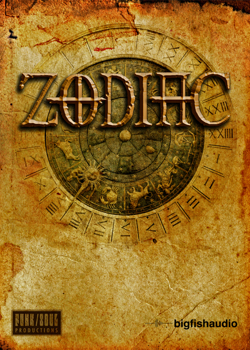
This is Steve Sechi of Funk/Soul Productions, here to talk about our newest virtual instrument, Zodiac.
It’s not an exaggeration to say that Zodiac doesn’t sound like any other VI on the market – it’s true. We created all the “instruments” in Zodiac from scratch, using found sounds, extreme sound design techniques, prepared or heavily processed musical instruments, and sonic manipulations inspired by classic Musique Concrete, Experimental and Avant Garde Music compositions. No synthesizers were used for any of the 150+ instrument patches that we created for Zodiac – just real, organic sounds.
Zodiac’s instruments range from beautiful and ethereal soundscapes to wildly inventive percussion instruments, and to mysterious, haunting, atonal and experimental sounds that defy easy categorization. You won’t find anything like a regular bass, guitar, keyboard, or drum set. What you will find is a collection of fresh and original sounds and instruments suitable for film or TV scores, video games, and all types of ambient and experimental music.
Zodiac is also very easy to use. All the controls you need to handle anything from subtle tweaks to drastic changes are right there on the interface. That’s a big help if you’re a composer, sound designer, producer who’s on a tight deadline.
If you’re looking for a set of totally unique sounds for your compositions, we hope you’ll check out some of the Zodiac demos on the Big Fish Audio website.
View Zodiac Page
If you are looking for live recorded and high quality drum loops Big Fish Audio has always been a great place to find them, but now our selection just got a lot bigger! Big Fish Audio is proud to announce that a select group of existing products that previously could only be purchased as full collections containing not only drum loops but mixed in with all sorts of melodic instruments can now be purchased at a lower price with only the drum loops included. Now you don’t have to pay full price for loops and samples you don’t need when all you want are drum loops. 26 popular products from Dieguis Productions and Big Fish Audio now have a drums only purchase option. Check them out for yourself!.
To see the products click HERE.

Save 30% on select top loop libraries!
Hurry! This offer is good now through November 4th.
Welcome back readers!
This week brings a great new product from Big Fish Audio – Elevate! It’s a massive 12 GB collection of Pop, Modern and Indie Rock Songwriting Styles. You’re sure to love it!
Today we’re proud to announce a new lineup of drum products from Analogue Drums! Check them out HERE.
MVP Loops has four new titles out – Trap Kingz Elite, Hood Trap, Magnaa Carter and Timbo Lake. If you’re into Hip Hop or Trap, you’ll need to pick these up!
That’s it for today. Peace!

Now through Monday, October 14th get 20% off our entire site!*
Enter the coupon below at checkout to take advantage of this special offer.
Coupon: BF1492
*Sale excludes Ueberschall and Sonokinetic. Cannot be combined with other offers.
Hello Everybody,
As some of you know we have been working on an update for the BFA RMX Installer. We now have a fix for users with newer OSX operating systems and users on 64-bit PC’s.
For PC Users we have a 2.0 installer available for download on our support page:
For Mac users It comes down to a simple permissions issue in the new Library folder in OSX, here is a link from Propellerheads that will help you change the permissions: SetRexFolderPermissions.zip
All you need to do is:
1. Download the SetRexFolderPermissions.zip file
2. Extract the zip
3. Double-click the SetRexFolderPermissions.command file
4. Terminal will open
5. Enter your computer password and press return
6. **NOTE** when entering your password you may not see any characters being generated, that is ok. to test just open the script again and it should look like this:

BFA Production Team